NIMBLE
Designing a 0→1 POS & admin platform for AI-powered grocery checkout
ABOUT NIMBLE
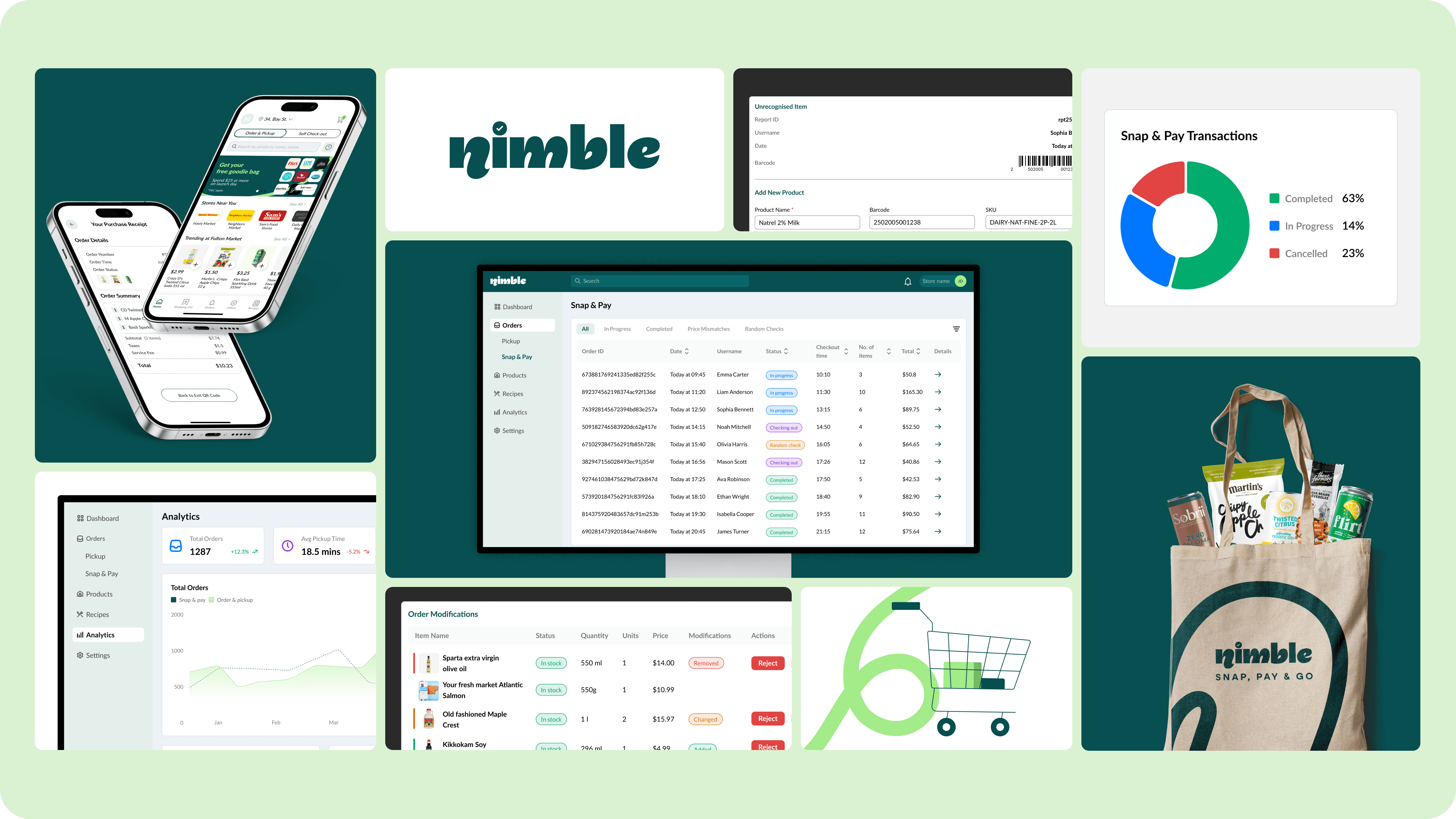
An early-stage retail-tech startup building an AI-driven, mobile-first self-checkout platform for grocery stores. Shoppers scan items and pay using their phones, reducing checkout wait times while helping retailers eliminate expensive hardware, long lines, and operational friction.
Designed as a software-first alternative to traditional self-checkout systems, Nimble brings together a consumer mobile app, a store admin portal, and an AI layer for product recognition and transaction validation. Operating in a fast-moving, high-ambiguity startup environment, design plays a critical role in translating complex in-store workflows and business constraints into scalable, intuitive product experiences.
ROLE
Product Design
DURATION
6 months
TEAM
2x Designers
1x Founder
3x Developers
PROBLEM
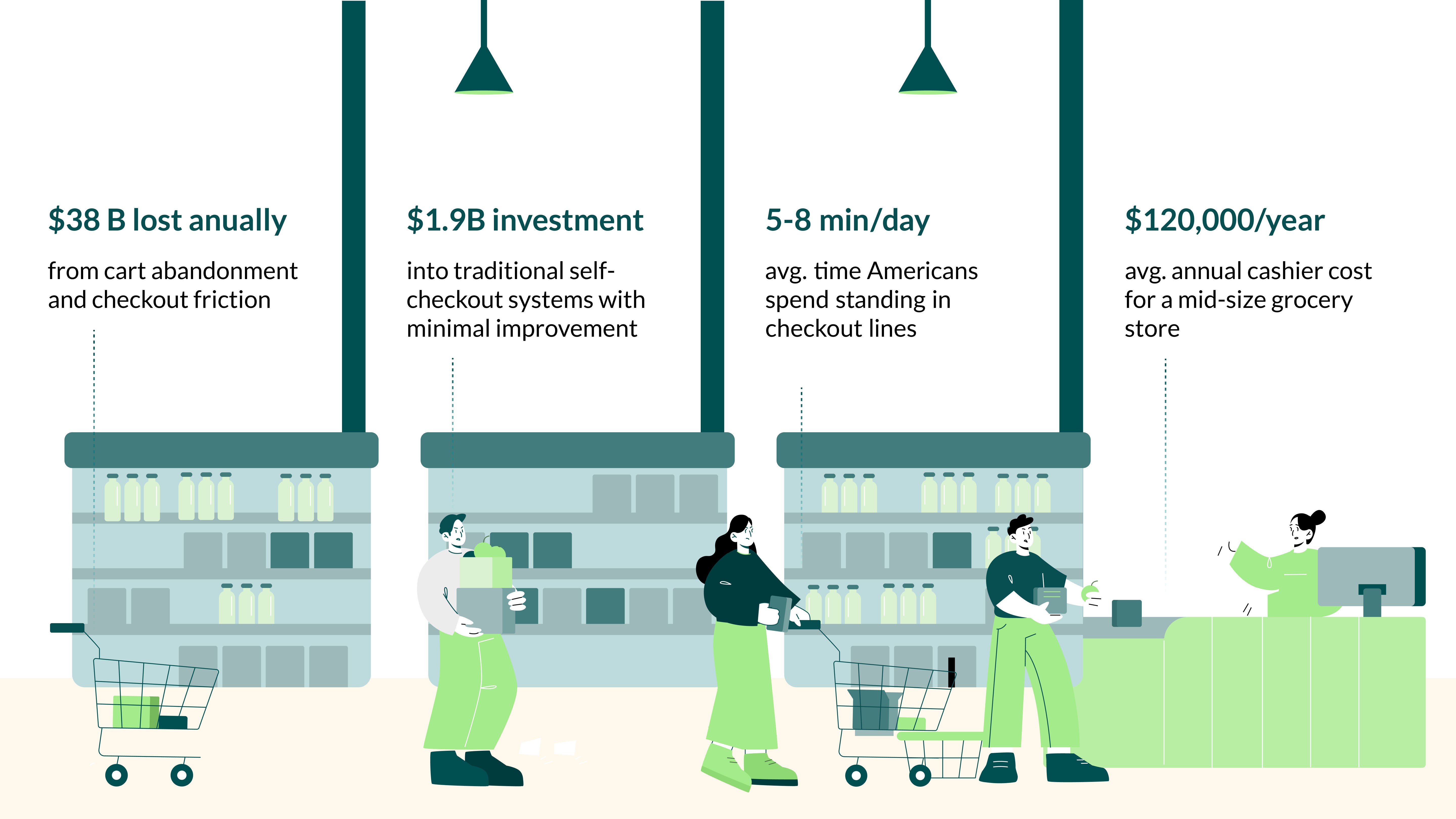
The checkout bottleneck
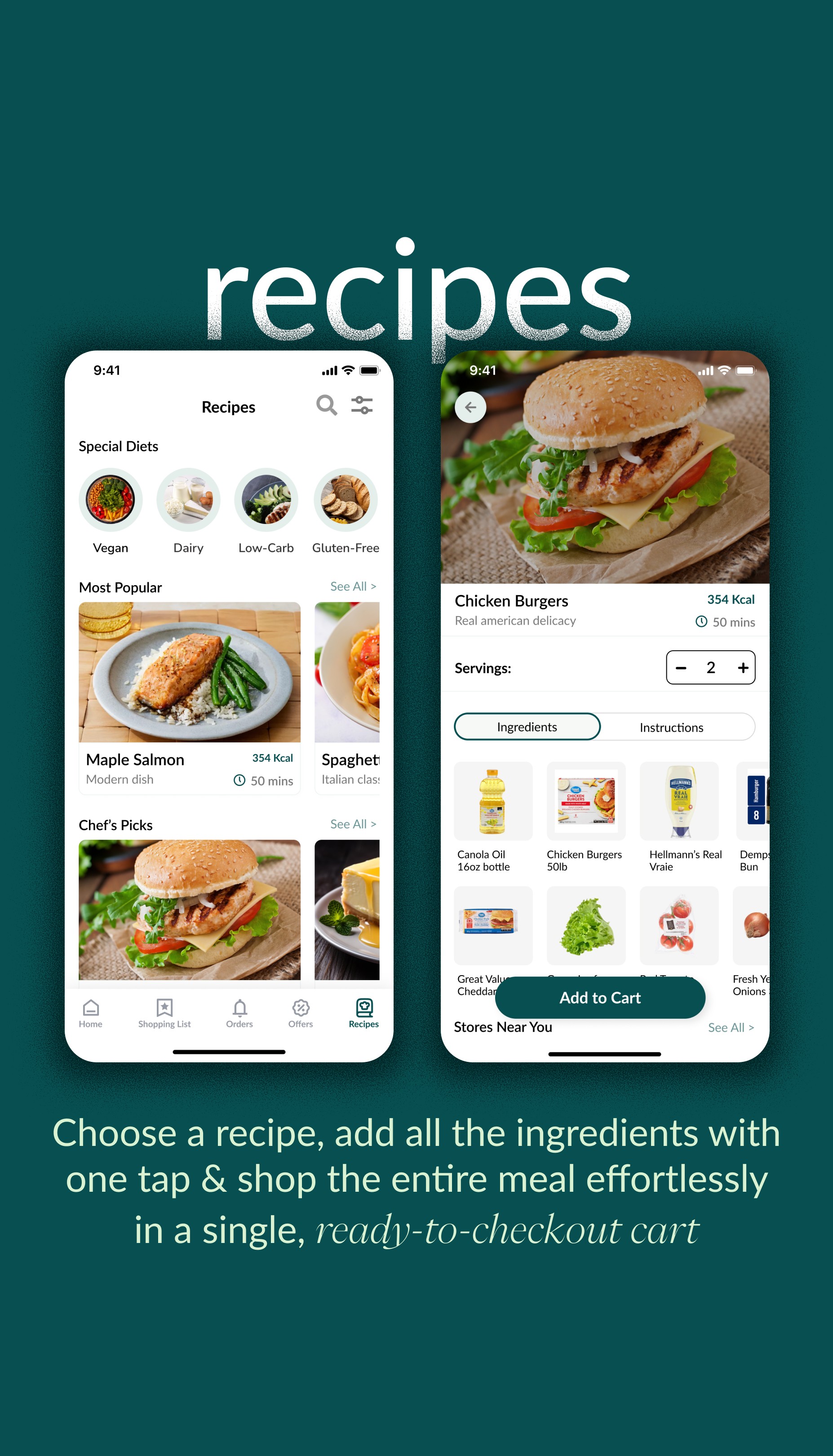
THE APP
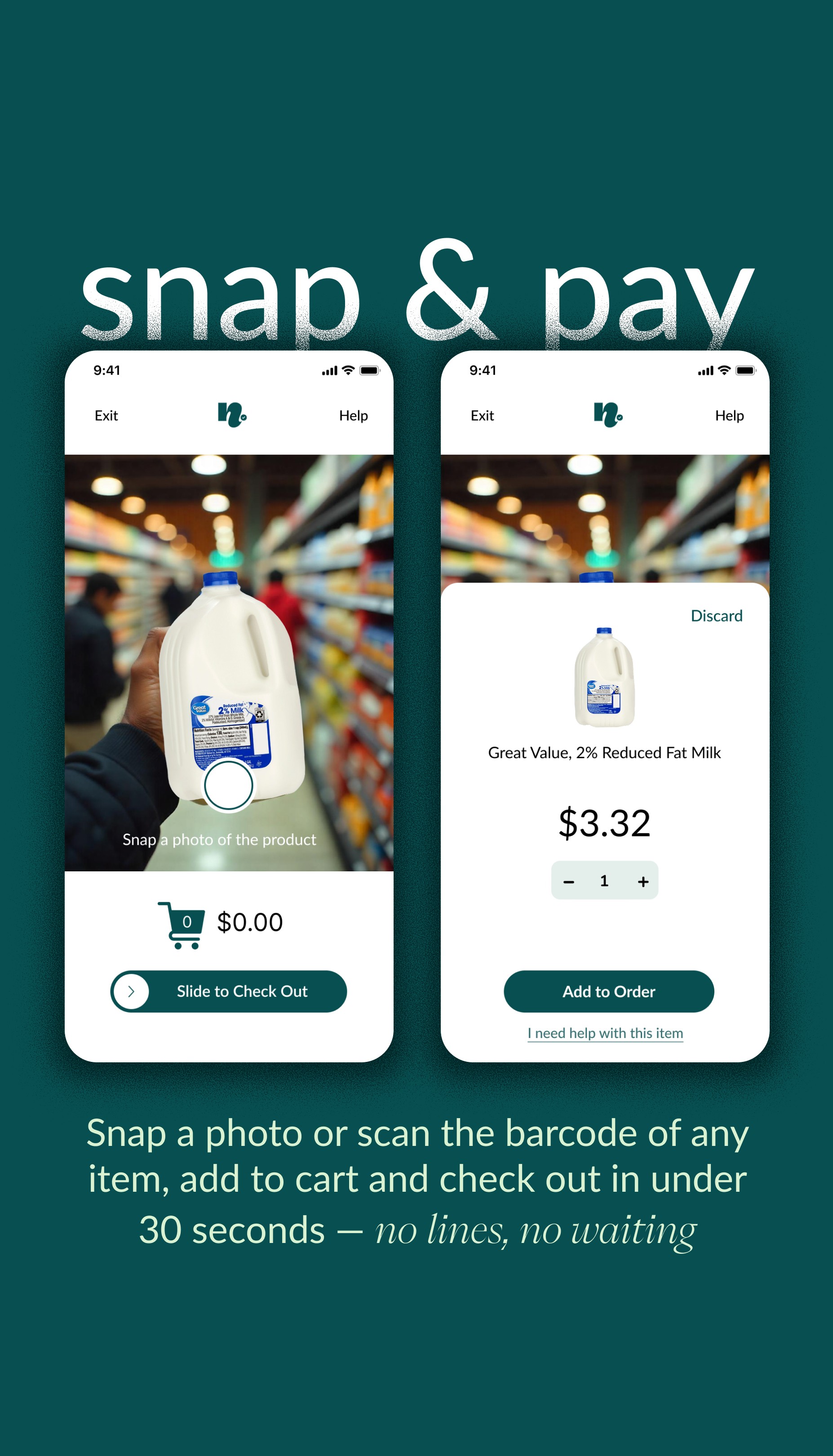
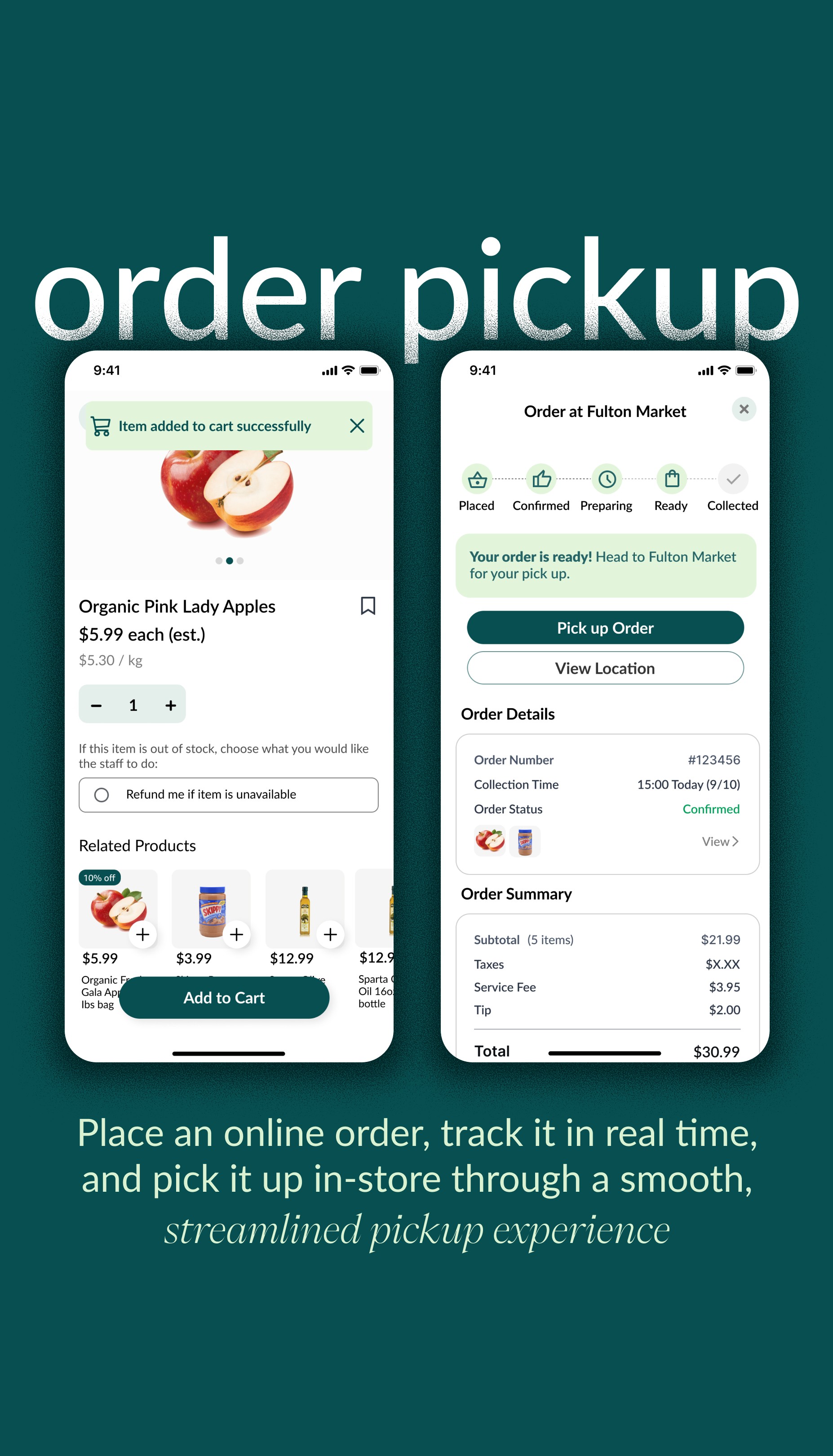
From scan to pay in seconds
UNDERSTANDING THE USERS
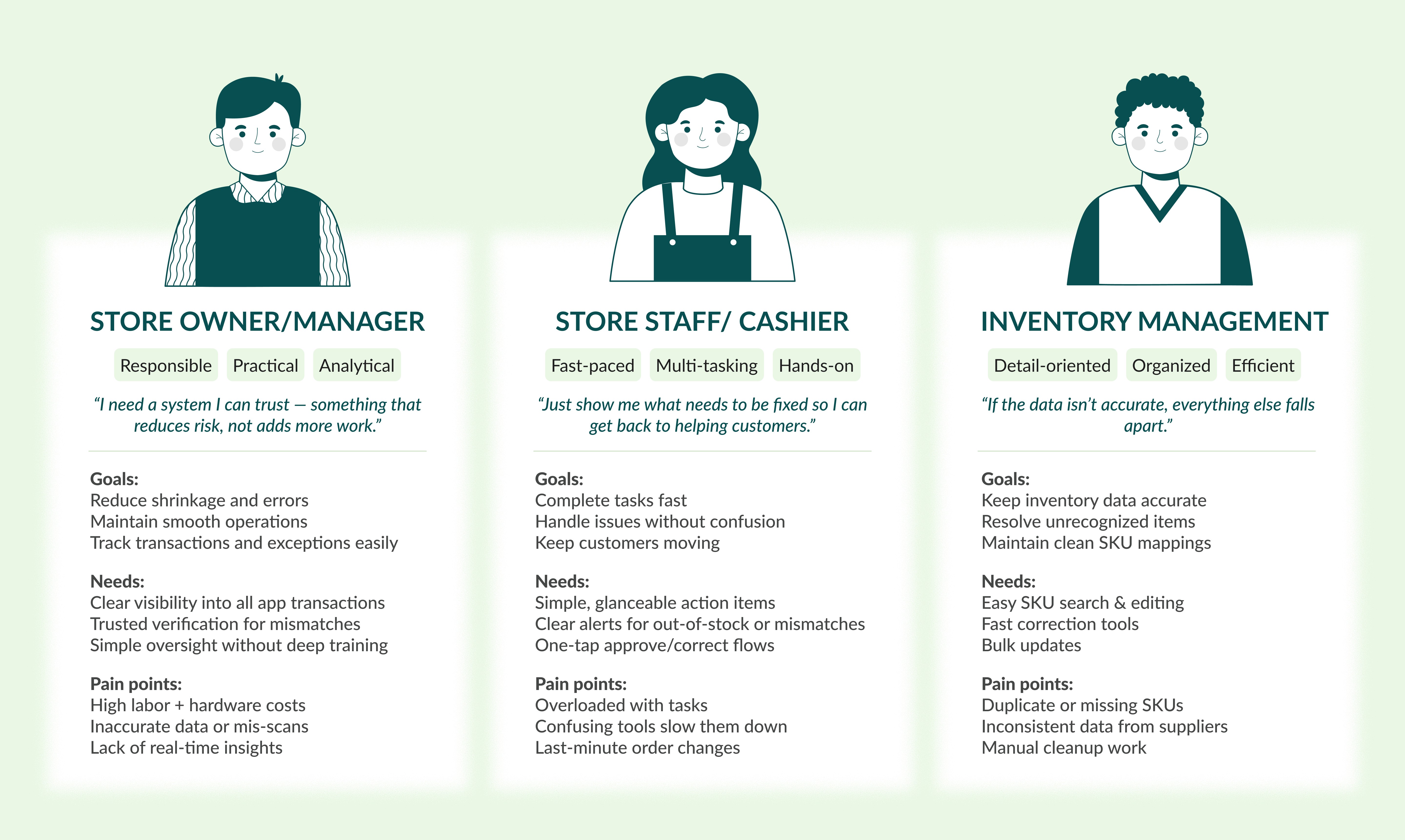
Daily challenges in retail
DESIGN DECISIONS
Designing for speed, validation, and iteration
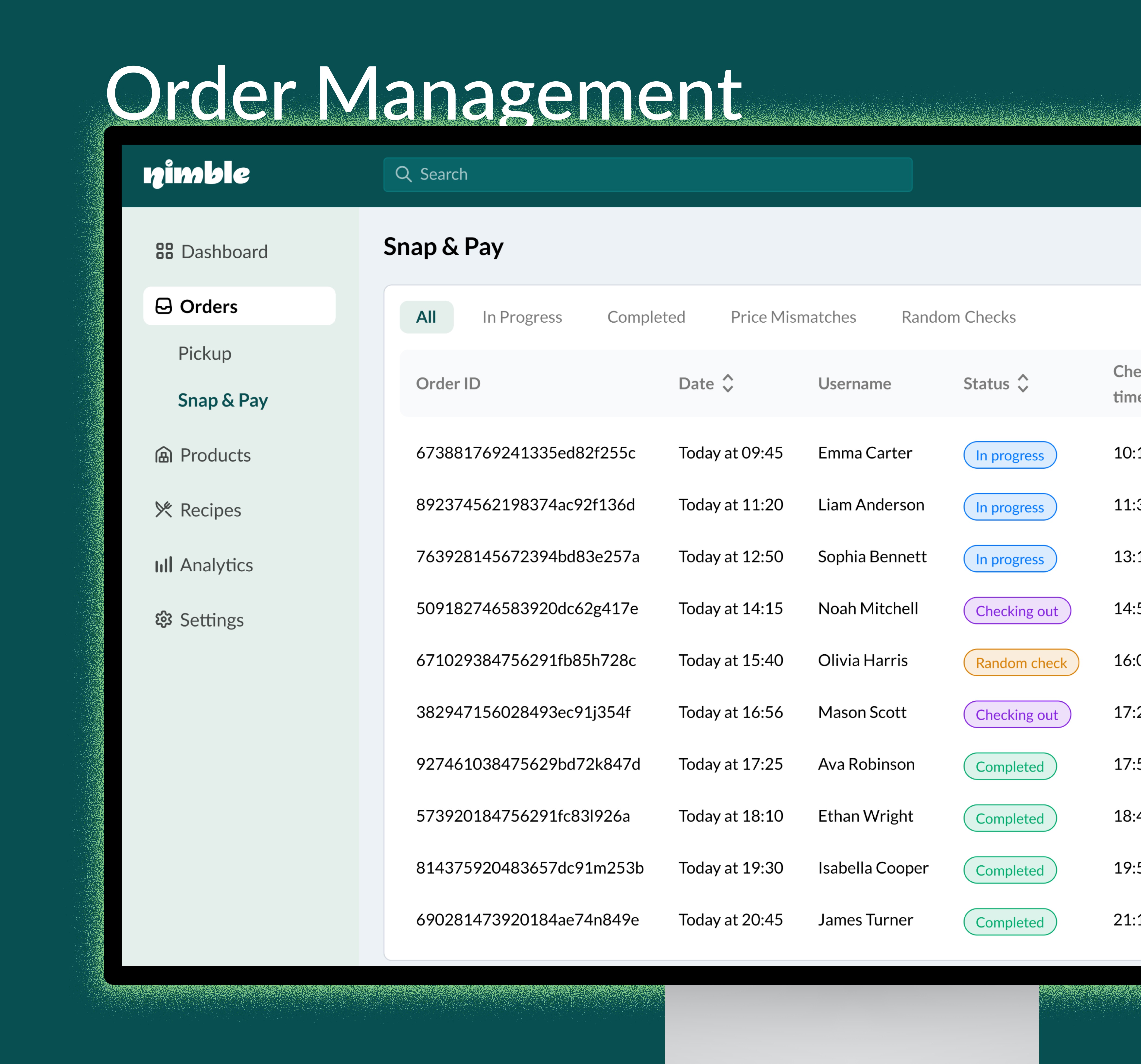
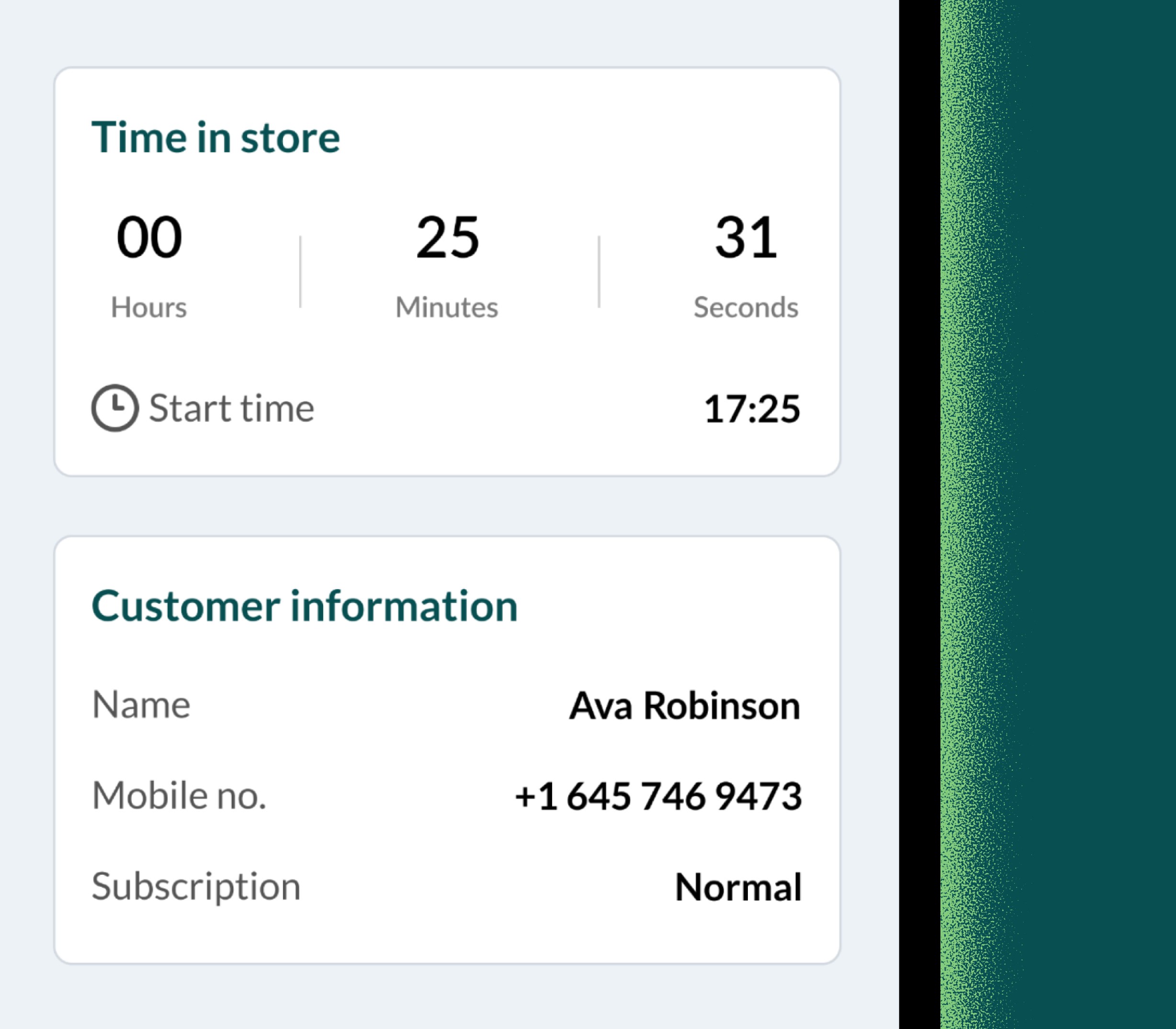
Applied clear, color-coded statuses to surface priorities and reduce cognitive load
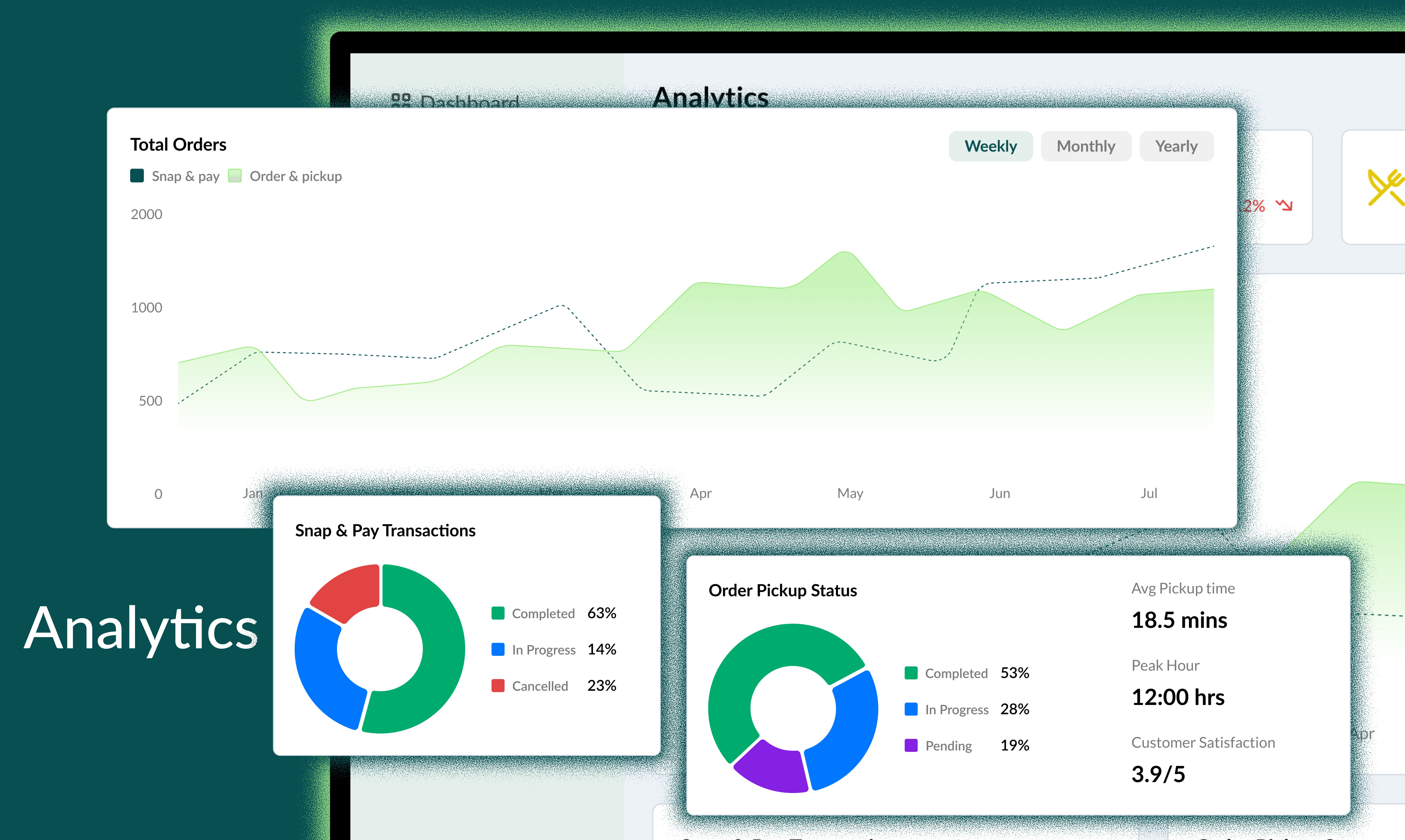
Focused the interface on real-time decision-making rather than dense data or dashboards
Unified all workflows under a simple, predictable pattern: Review → Decide → Log
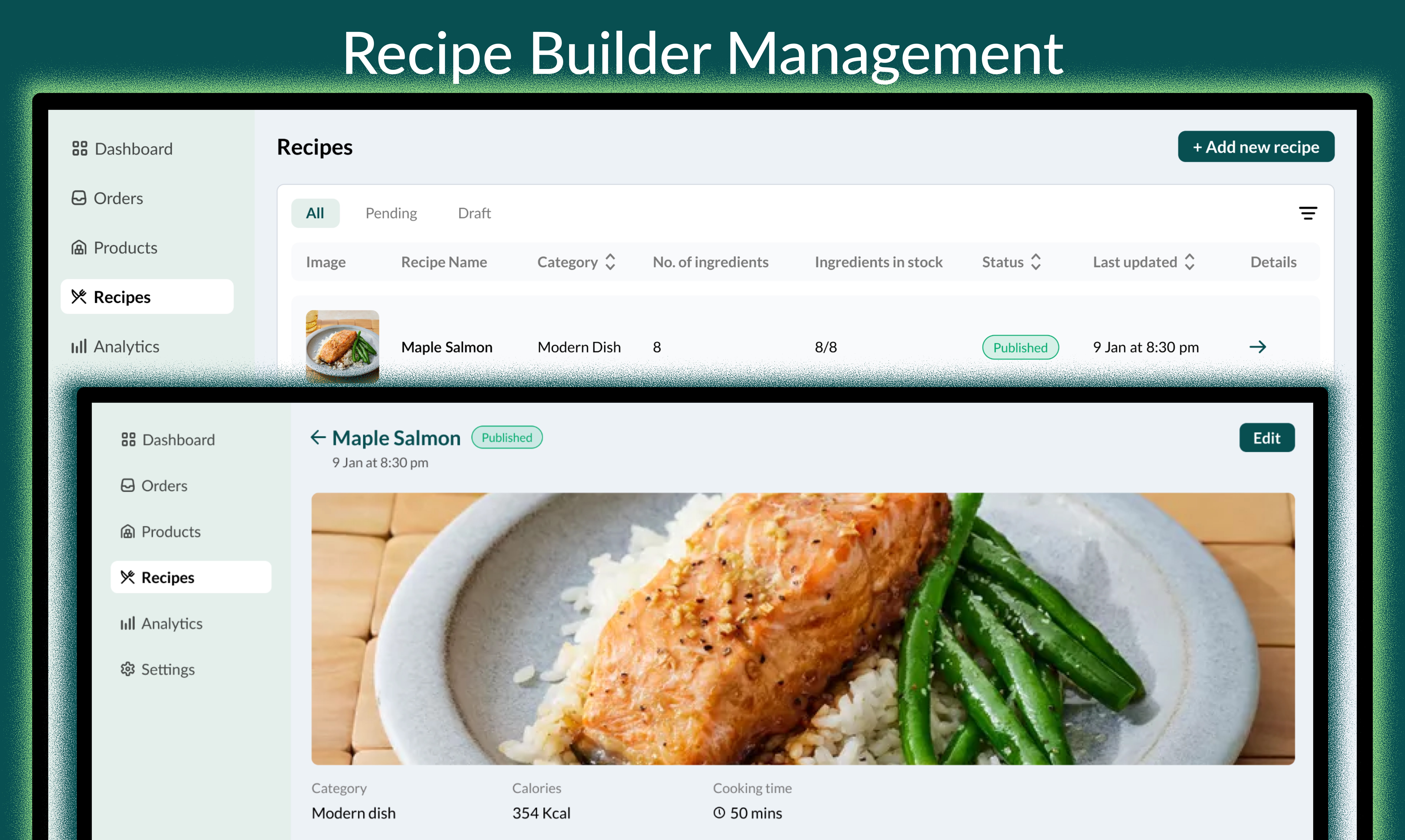
Built the system with scalable components to support multi-store and white-label expansion
Designed the UI for low-tech users by using quick-action tiles and single-tap resolutions
HI-FIDELITY SCREENS
MVP launch and in-store validation
DESIGN DECISIONS
Designing for speed, validation, and iteration
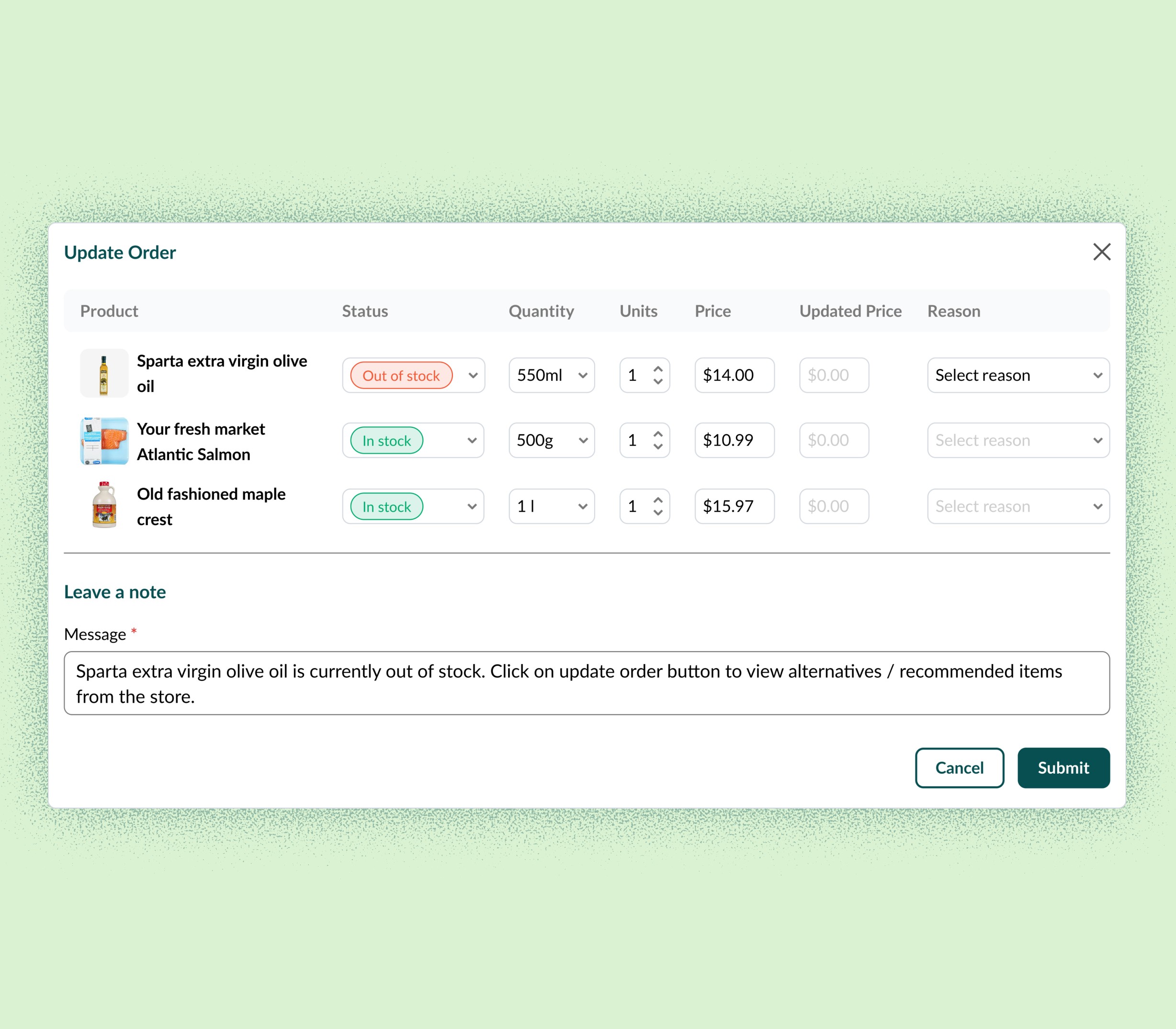
Not every order follows the perfect path—items go out of stock, customers change their minds, scans fail, prices don’t match, and real-world retail chaos interrupts the ideal flow.
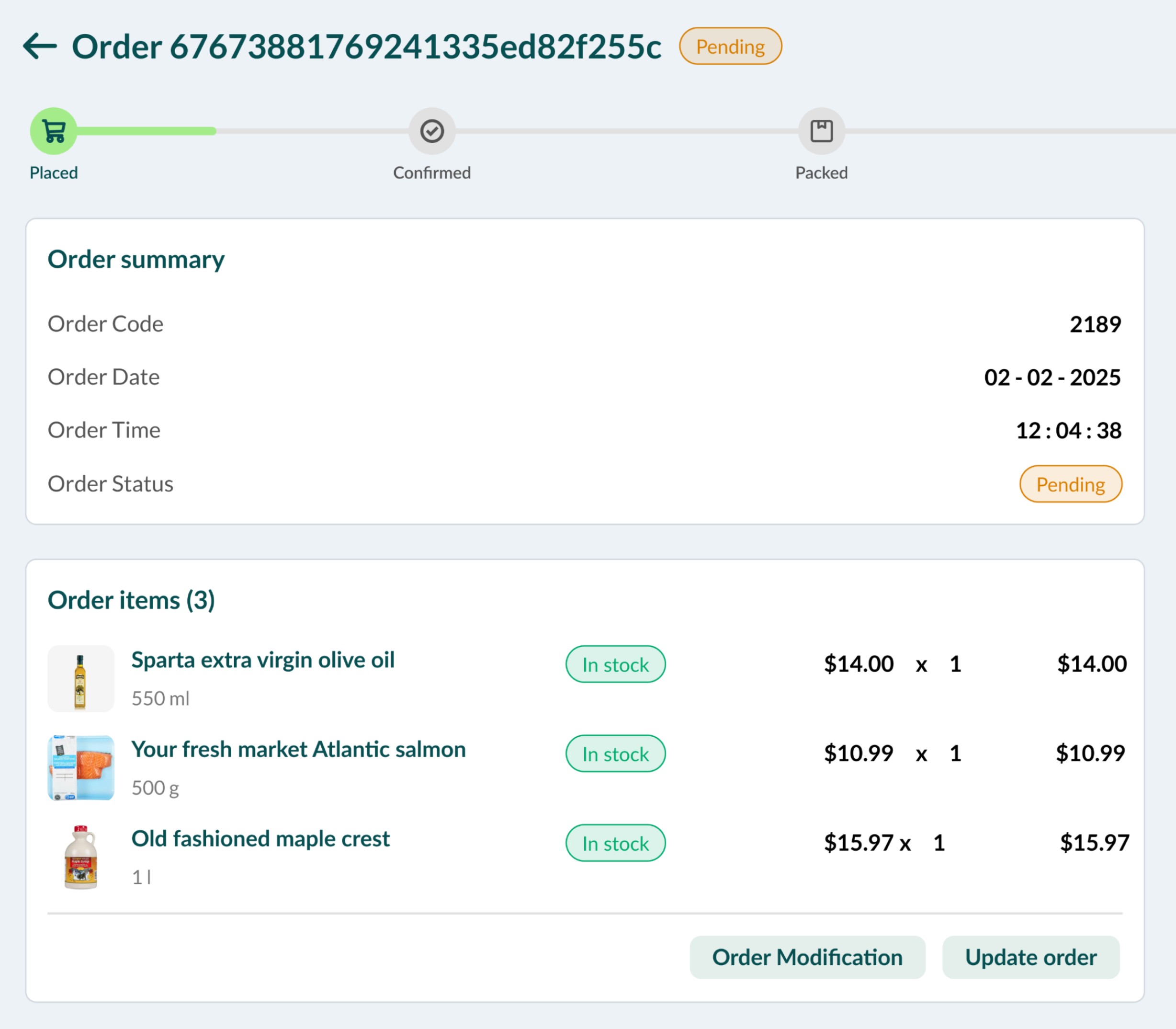
Items out of stock
Problem
A shopper adds items to their order that become unavailable before the store begins or completes fulfillment.
Design Solution
Surface out-of-stock items immediately in the admin portal
Notify the shopper instantly and allow them to approve or decline replacements
Automatically update the store’s inventory levels to prevent repeated errors
Impact
Reduced friction for staff, fewer manual follow-ups, and a smoother pickup experience with clear, proactive communication
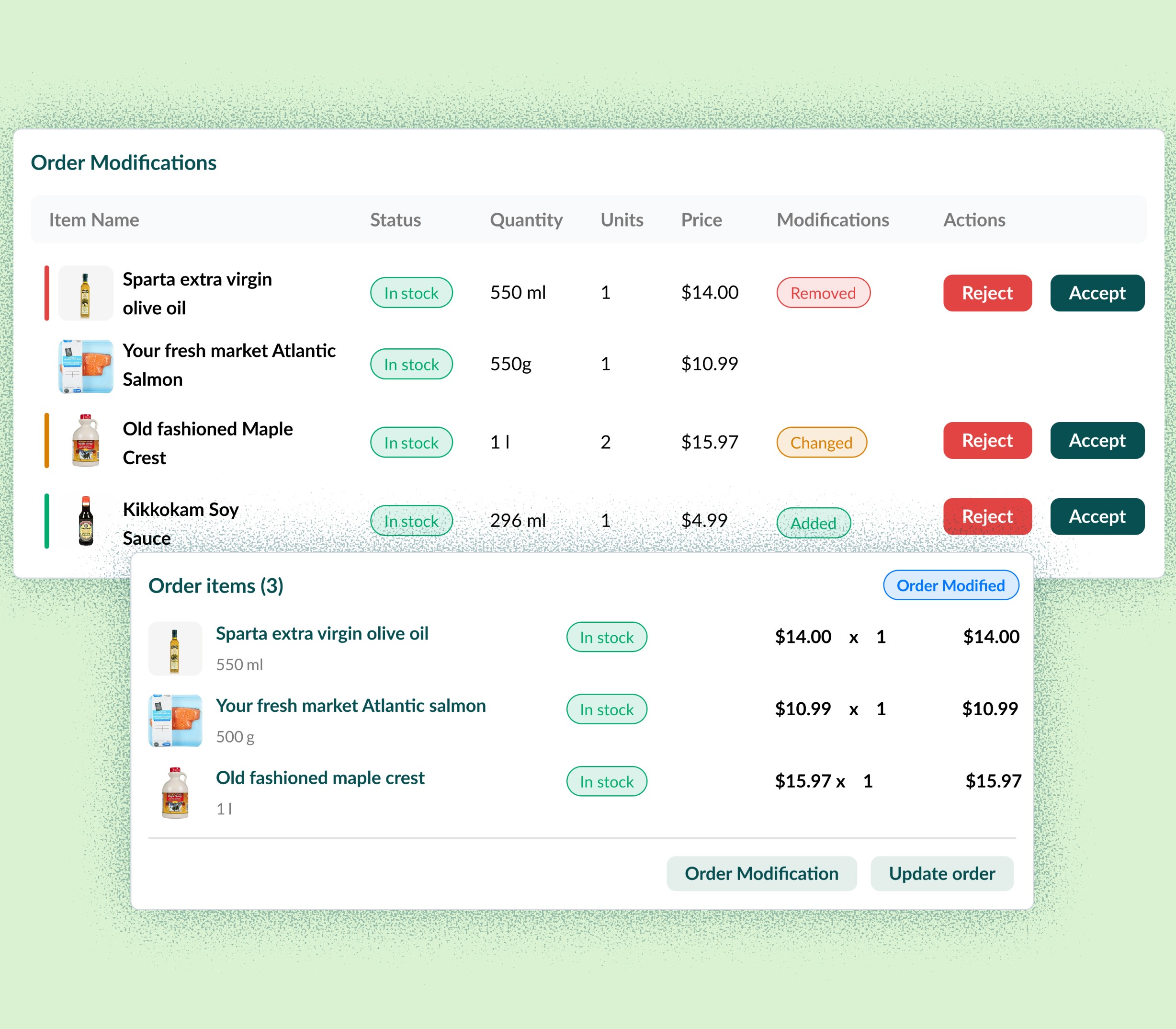
Cancelled orders
Problem
An order is cancelled by either the customer or the store while it is already being prepared or processed, creating uncertainty around next steps.
Design Solution
Display color-coded banners explaining the cancellation reason
Trigger refund workflows automatically based on cancellation type
Update the order timeline for complete audit visibility
Impact
Eliminates confusion for staff, ensures transparency for both sides, and reduces manual effort during order reversals.
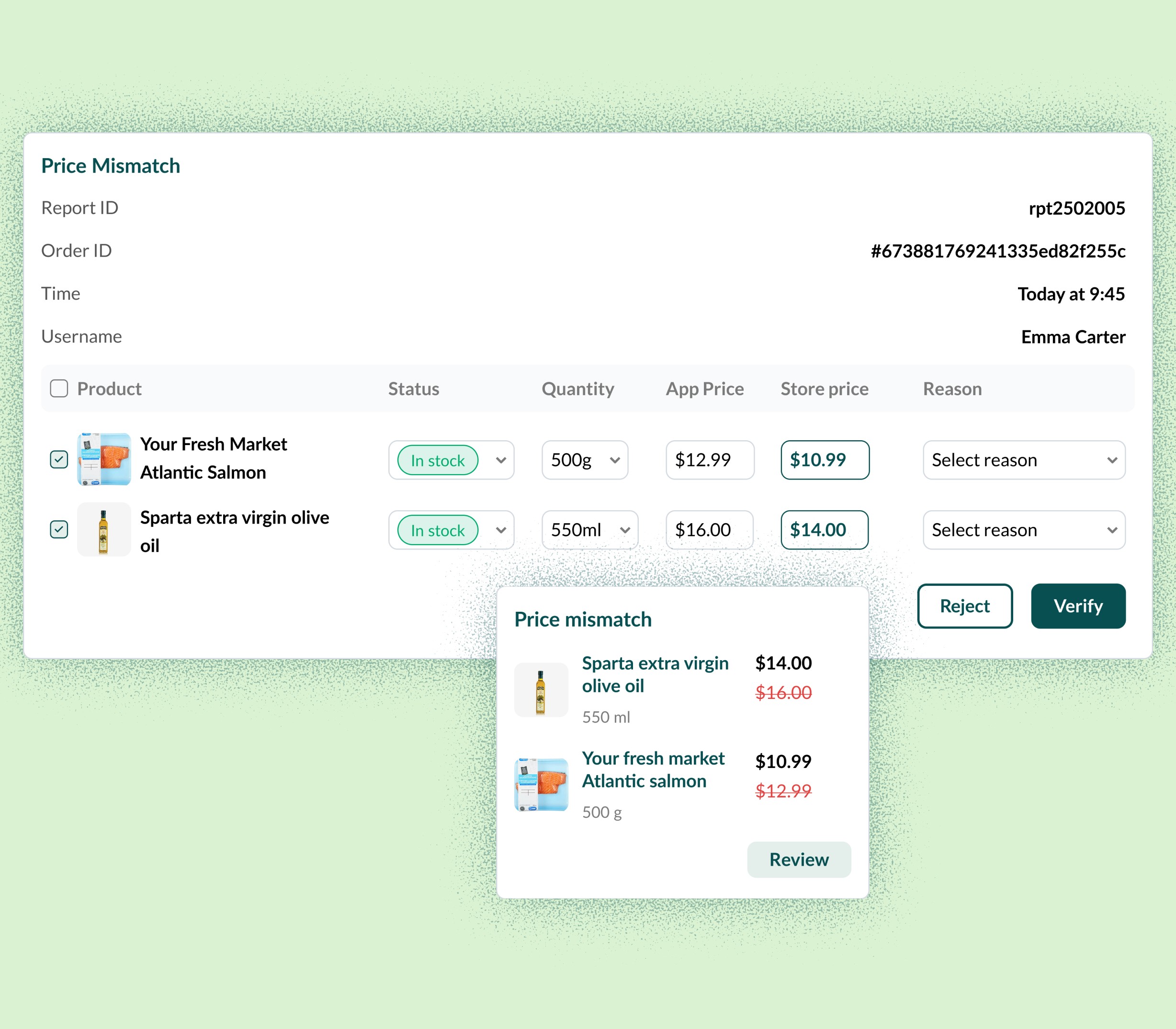
Customer-reported price mismatch
Problem
A shopper completes checkout but later reports that they were charged an incorrect price for one or more items.
Design Solution
Provide item-level transaction history for full transparency
Require a reason code to create a clear audit trail
Add verification steps that prevent fraudulent refund requests
Impact
Enables fair, fast conflict resolution, reduces disputes, and increases shopper trust while protecting stores from misuse.
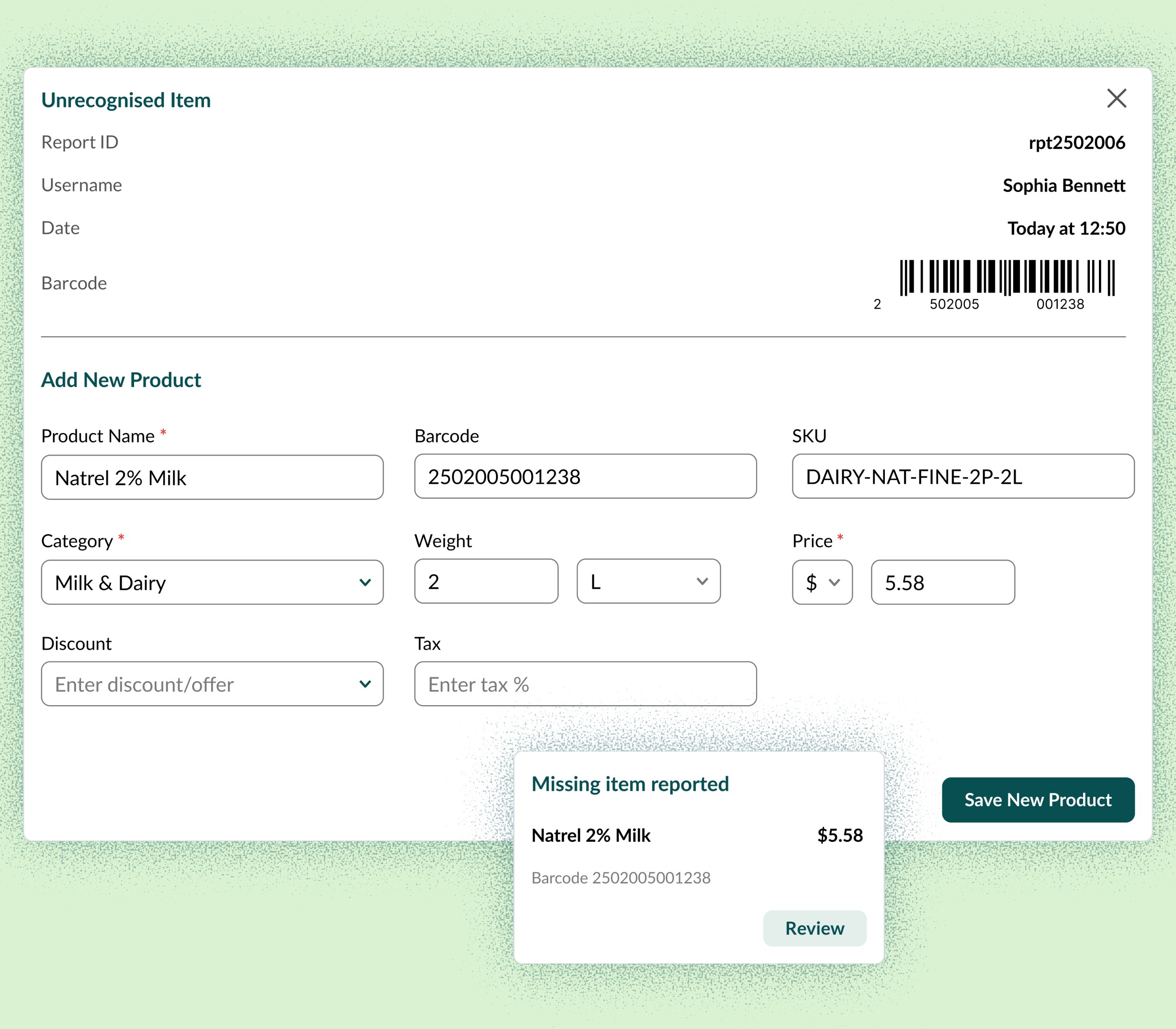
Unrecognized item
Problem
A shopper scans a barcode that does not exist in the store’s SKU library, or captures an image that the AI model cannot confidently match to a product.
Design Solution
Route all unrecognized items into a dedicated Unrecognized Items review queue
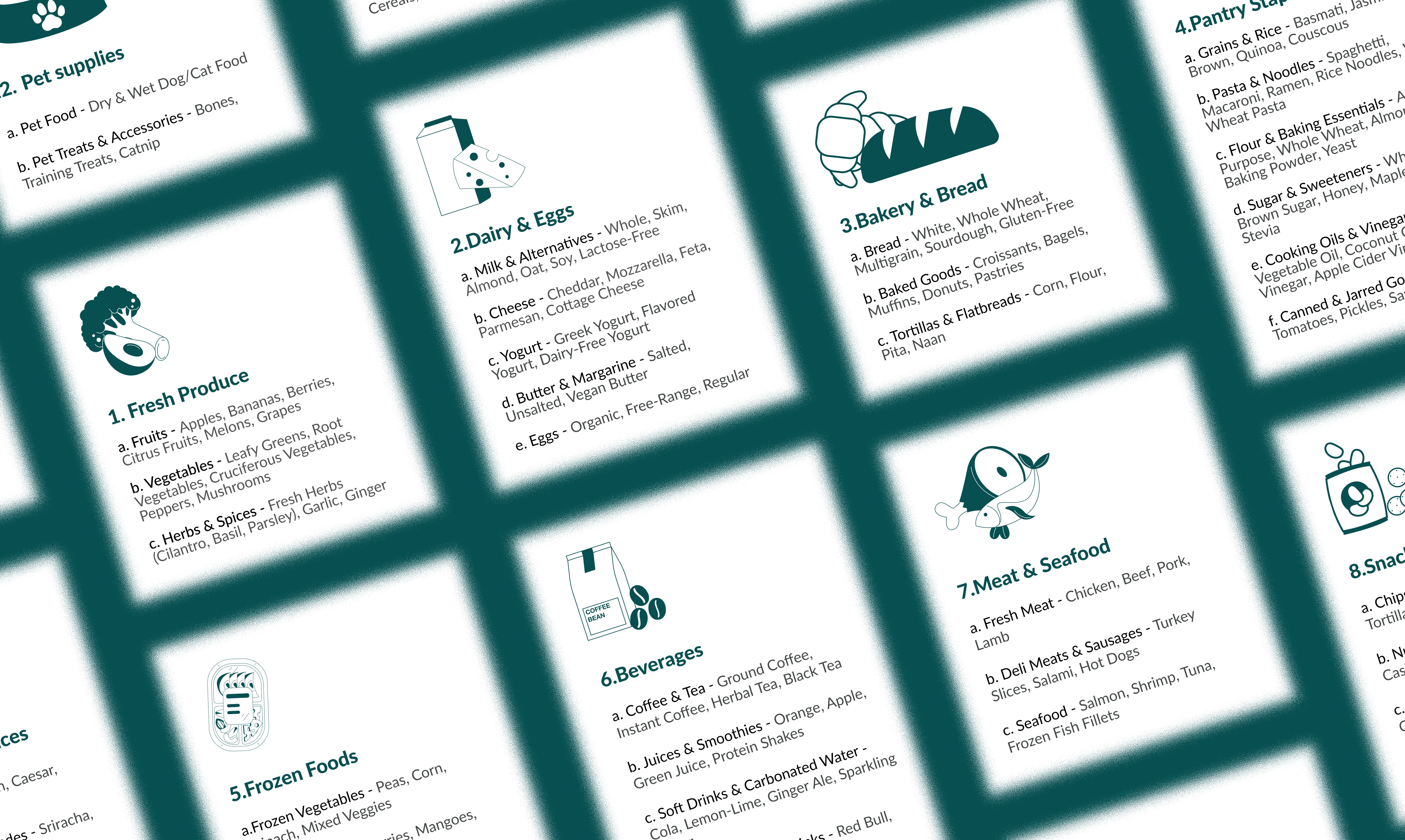
Allow staff to manually match the item to an existing SKU or create a new product entry
Store the corrected mapping so future scans of the same barcode are recognized instantly
Impact
Maintains clean and accurate inventory data, reduces repeated errors, and minimizes checkout interruptions for shoppers.
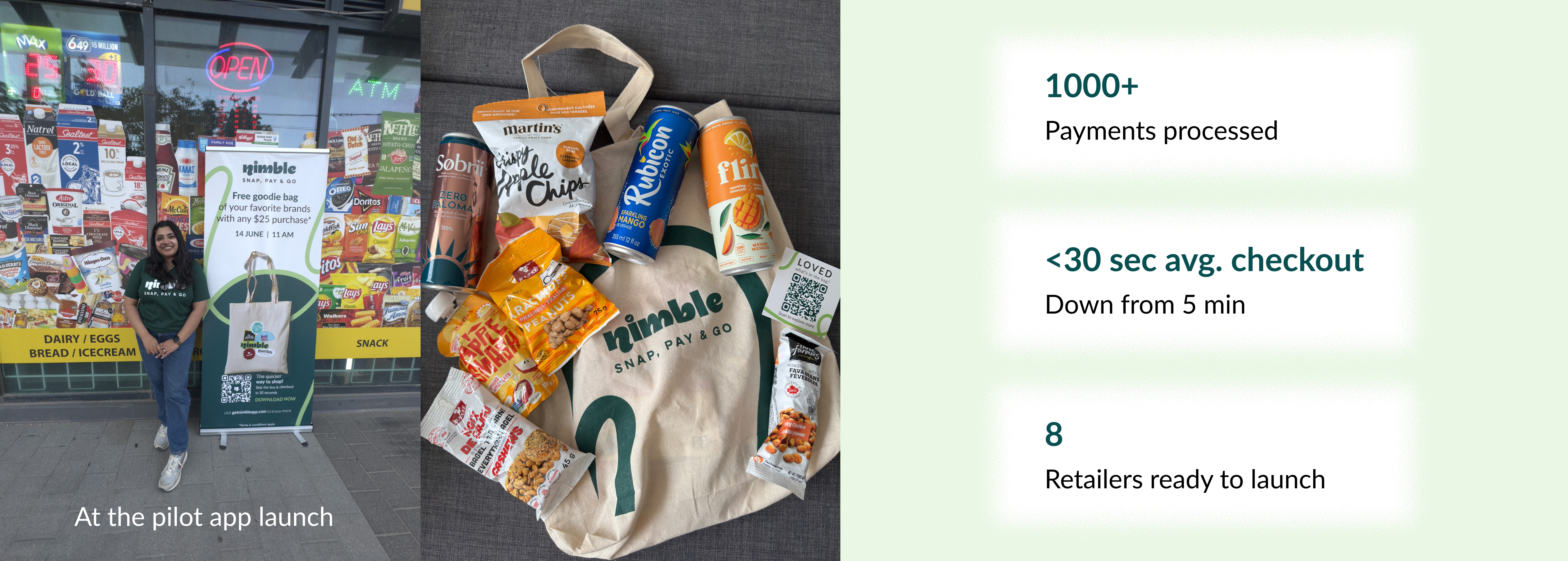
IMPACT
Early signals from pilot validation

BHARGAVI VISWANATHAN
Product Designer currently crafting experiences at Nimble
bhargavi.designs19@gmail.com